
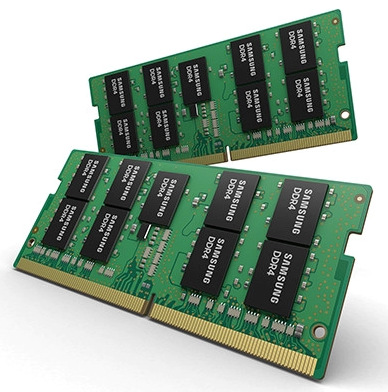


Samsung DDR4 3200MHz 4GB Notebook SODIMM Memory (Model: M471A5244CB0-CWE)
Laptops, mini PCs, all-in-one PCs, and other devices manufactured after 2017 that support DDR4 memory.
Primarily used for upgrading or replacing memory of the same specifications. Commonly used to increase the capacity of laptops with a single 4GB memory module (e.g., forming a dual-channel 8GB configuration with 4GB + 4GB).
Before purchasing, be sure to confirm:
Compatibility: Use software such as CPU-Z or AIDA64 to check the model and specifications of your existing memory. Try to ensure that the frequency, timings, and voltage of the new and old memory modules are consistent to minimize compatibility issues.
Capacity and Slots: Confirm that your laptop has an available memory slot or that you plan to use this module to replace the existing low-capacity memory.
System Support: Confirm that your motherboard/CPU supports DDR4-3200. If not supported, the memory will automatically downclock to the highest frequency supported by the motherboard (e.g., 2400MHz or 2666MHz).
Performance Considerations:
A single 4GB module offers limited capacity. While it may suffice for modern operating systems (Win10/Win11) and everyday multitasking such as office work and web browsing, it will struggle significantly when running large software, games, or multiple programs simultaneously.
Recommended Upgrade Plan: If possible, upgrading to a single 8GB or 16GB module is a better option. Alternatively, using two 4GB modules of the same specifications to establish dual-channel memory can significantly improve integrated graphics performance and overall data throughput.
;)